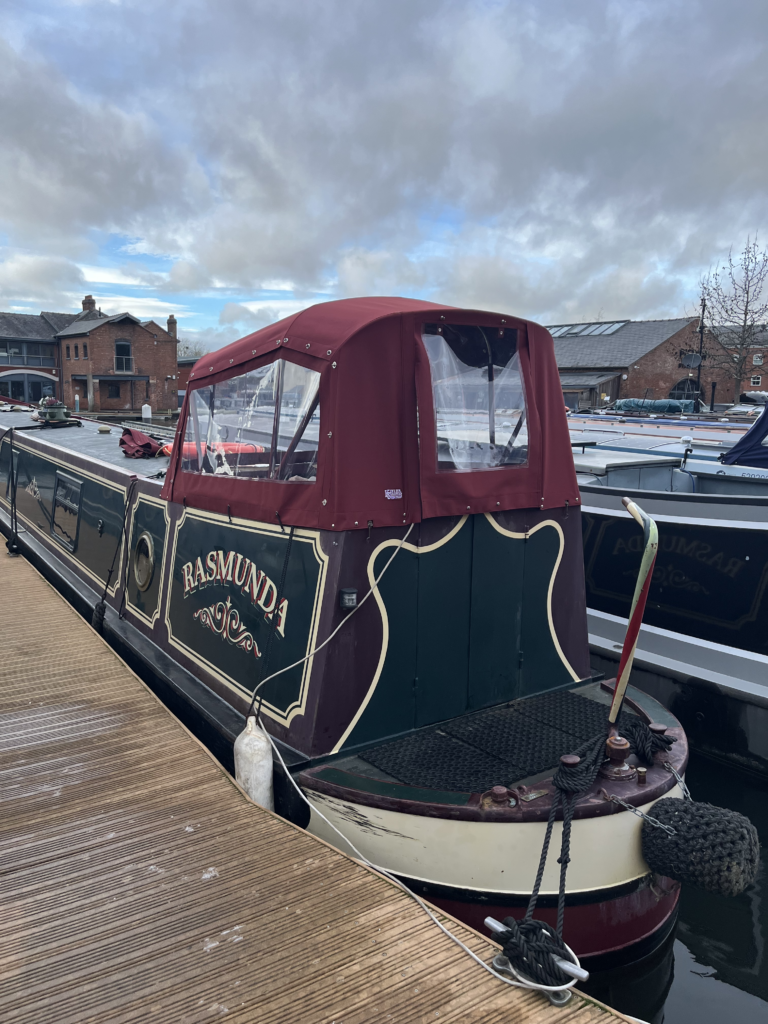
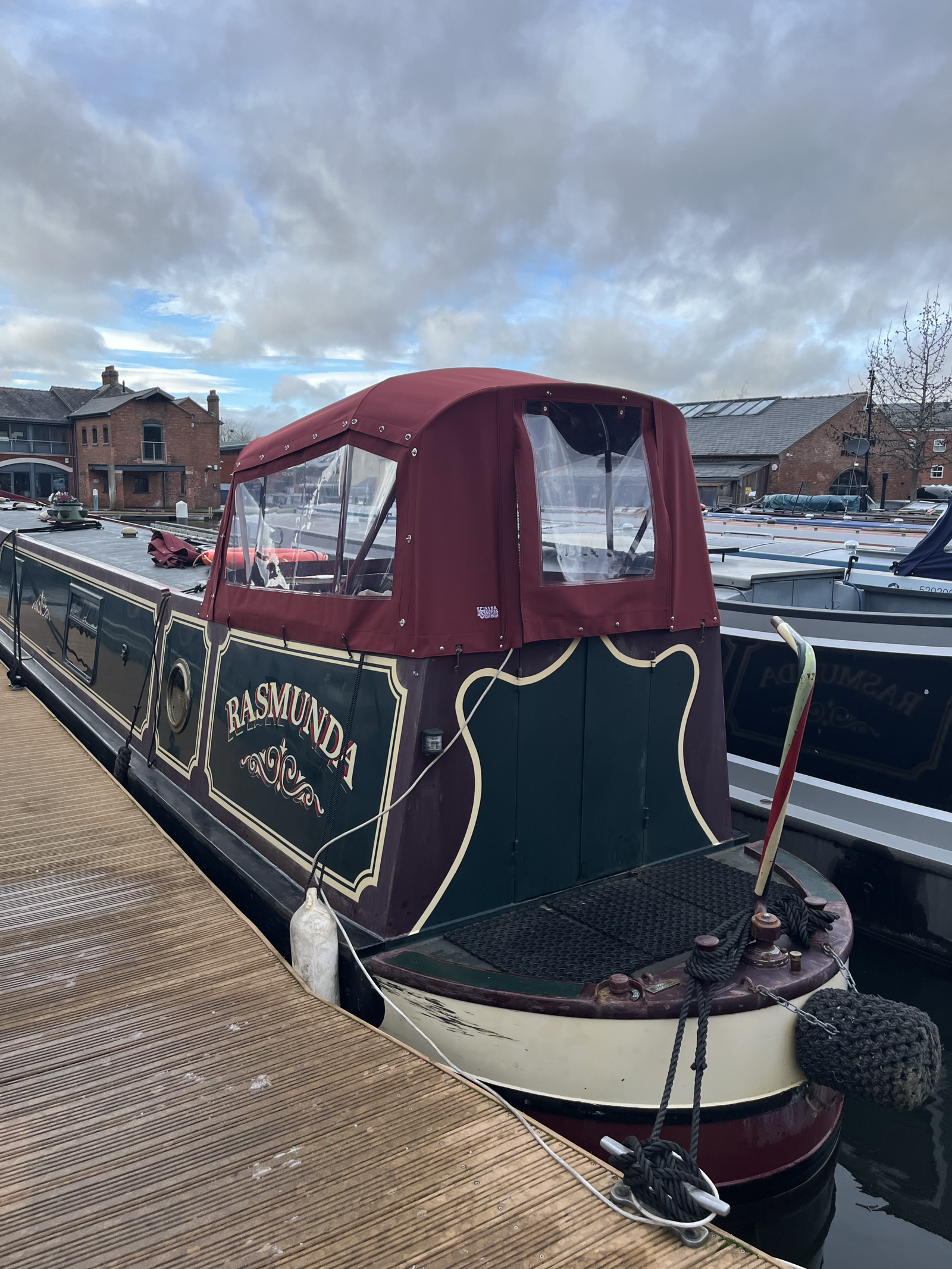
When we moved aboard Rasmunda, our 60-foot narrowboat, there were quite a few things I expected to spend time sorting out. Heating, hot water, electrics, and the various little surprises that come with owning a boat built in 1998.
Narrowboat Wi-Fi, however, wasn’t particularly high on the list.
After all, how difficult could getting a decent internet connection aboard a boat possibly be?
After all, we live in an age where you can watch television on your phone, hold video calls from the other side of the world, and apparently control your central heating from somewhere in Australia.
Surely getting Wi-Fi working on a narrowboat wouldn’t be that difficult?
Well, you would think so.
Living Inside a Steel Box
Rasmunda is a Colecraft narrowboat, built in 1998. She’s 60 feet long and, like most traditional narrowboats, constructed almost entirely from steel.
Wonderful material for building a boat. Not quite so wonderful when you’re trying to get a wireless signal through it.
Steel is rather good at blocking radio signals. In fact, a narrowboat can behave a bit like a Faraday cage, although the windows and other openings mean it’s not a perfect one.
That doesn’t mean your mobile phone won’t work inside. Ours generally do. But the signal can be weaker and less reliable than it is outside, particularly when you’re moored somewhere with less-than-perfect mobile coverage.
And, of course, we wanted more than the occasional look at the weather forecast.
We use the internet for everyday life, including working on our website, managing my books, watching television and generally keeping in touch with the outside world.
A reliable connection is rather useful.
Our Original Internet Setup
When we bought Rasmunda, I fitted an InHand IR315 industrial 4G router.
This isn’t one of those little portable MiFi devices you carry around in your pocket. It’s a proper 12-volt industrial router, designed to operate reliably in environments where ordinary domestic equipment might struggle.
Being 12 volt was particularly attractive. It meant we could run it directly from Rasmunda’s electrical system without needing to leave the inverter running.
We installed an EE data SIM and connected the router to an external Solwise PUCK antenna.
The idea was straightforward.
The antenna would pick up the mobile signal outside the steel cabin, feed it into the router, and the router would distribute Wi-Fi around the boat.
And, to be fair, it worked.
We had internet access, our devices connected, and for general browsing it was perfectly usable.
But it wasn’t always particularly quick.
Sometimes websites seemed to take an age to load. Video could be temperamental, and occasionally a device would appear to be connected to Wi-Fi while not actually doing very much.
Now, anyone who has spent time troubleshooting internet connections will know that there are quite a few possible culprits.
It might be the mobile network, the signal strength, the router, the Wi-Fi connection between the router and your device, or even the device itself.
In other words, plenty of opportunities to spend an afternoon fixing the wrong thing.
Then There Was the Marina Wi-Fi
Our marina provides Wi-Fi for moorers.
This was interesting because, in theory, using the marina’s connection could give us better performance than relying entirely on a mobile network.
So I started experimenting.
Standing outside the boat, with a phone connected directly to the marina’s Wi-Fi network, the results were encouraging.
In fact, the connection was considerably better than I had expected.
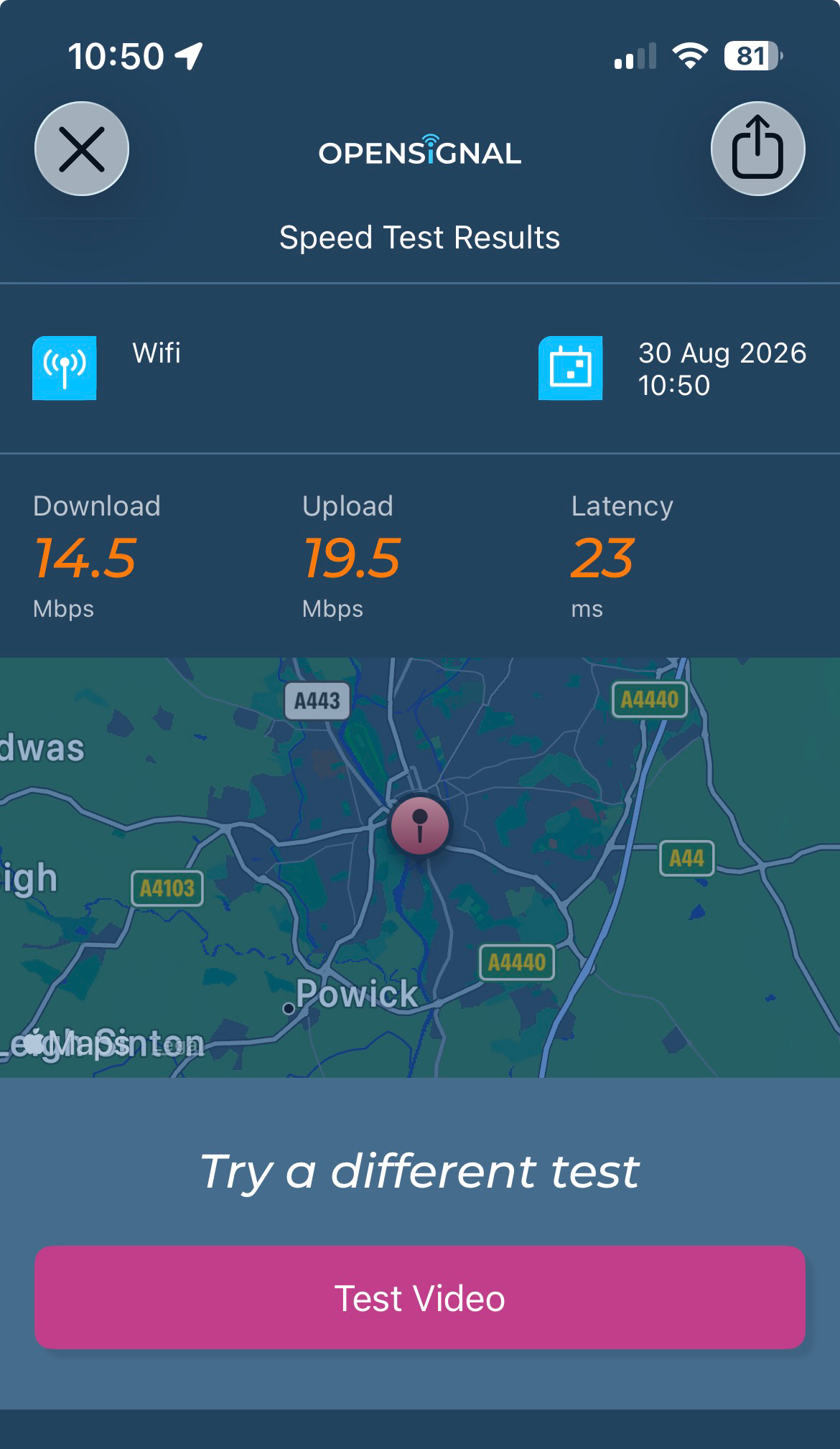
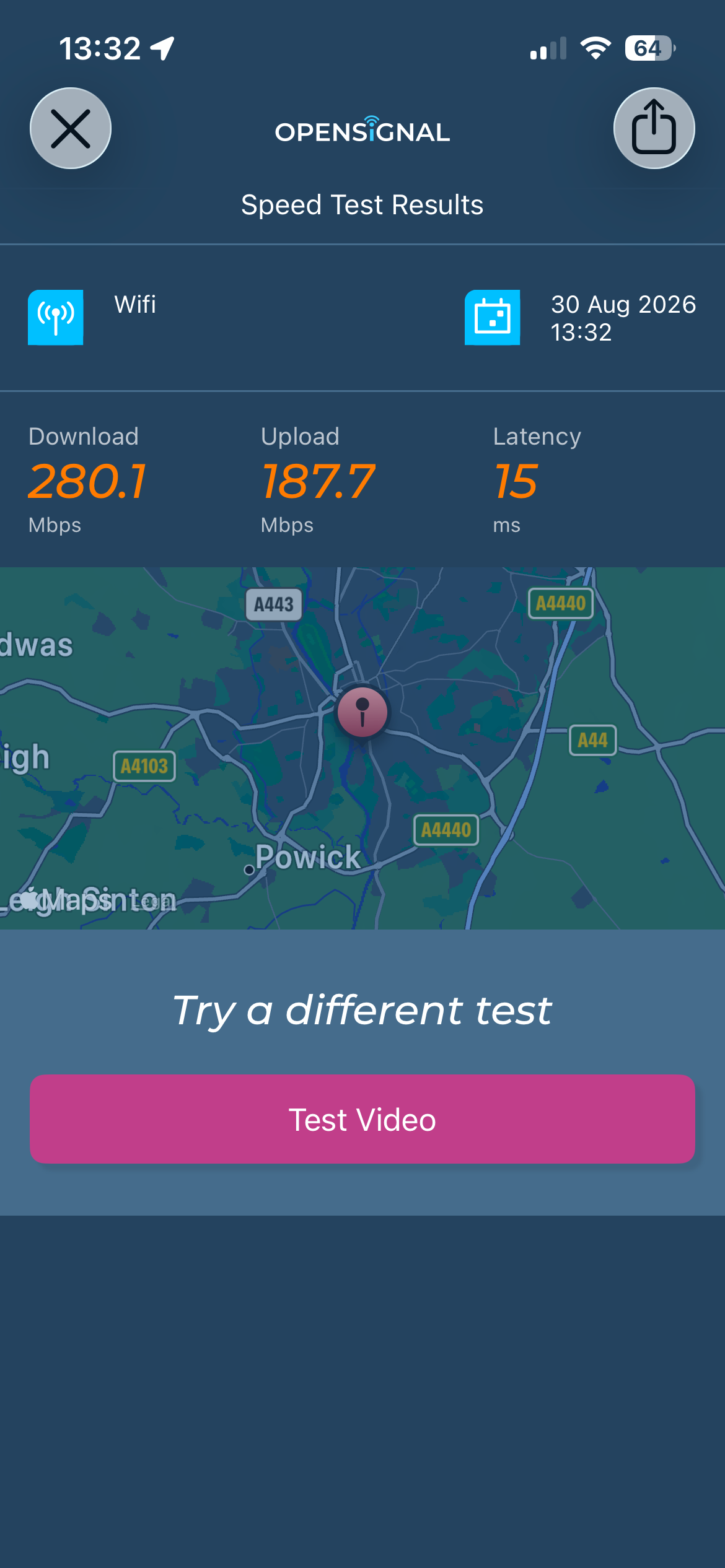
That was when things became interesting. Connected through the TP-Link router inside Rasmunda, I was getting just 14.5 Mbps download. Yet standing outside on the pontoon with my iPhone, connected directly to the same marina Wi-Fi, I recorded 280 Mbps!
Quite a difference.
Clearly, the marina’s internet connection wasn’t the problem. Something about the way we were receiving it aboard Rasmunda was holding us back.
And that was when I started looking for another solution.
The answer, once again, involved our steel cabin.
The marina’s wireless signal had to travel from its access point, across the moorings and then somehow find its way into the boat.
And even when a device managed to connect, that didn’t necessarily mean the connection would be strong or reliable.
I began looking at whether we could use our existing equipment to receive the marina Wi-Fi and distribute it around Rasmunda.
After all, we already had a perfectly good router.
Or so I thought.
The First Wrong Turn
The InHand IR315 has several useful networking features, so naturally I investigated whether it could be persuaded to connect to the marina’s Wi-Fi and share that connection with our devices.
It seemed a sensible approach.
Why buy more equipment if what you’ve already got can do the job?
Unfortunately, there is a difference between a device being technically capable of doing something and being particularly good at it.
We tried different configurations, checked settings, compared connections and carried out speed tests.
The marina’s Wi-Fi was clearly capable of delivering a reasonable connection.
But the performance we were getting through our arrangement wasn’t matching what we could achieve when connecting directly.
Something was holding it back.
For a while, I concentrated on signal strength. That seemed the obvious explanation.
But the more we tested, the more it became apparent that the problem wasn’t simply the marina’s internet connection.
It was how we were trying to receive and distribute it aboard Rasmunda.
And that’s an important distinction.
You can spend a small fortune upgrading an internet connection, only to discover that the connection itself wasn’t the problem in the first place.
A Router Is Not Necessarily the Answer to Everything
One thing I’ve learned over the years, particularly from working on boats, is that equipment usually works best when it’s doing the job it was designed to do.
Our InHand router was designed primarily to provide a reliable connection over the mobile network.
And for that purpose, it had served us well.
But asking it to receive a relatively distant marina Wi-Fi signal and then distribute that connection around a 60-foot steel boat was a different proposition.
We needed to separate the two jobs.
First, we needed something outside Rasmunda that could receive the marina’s Wi-Fi properly.
Then we needed something inside the boat to distribute that connection to our phones, computers, television and everything else.
It sounds obvious now.
Most things do once you’ve worked them out.
Another Piece of Equipment?
By this point, Ann had become accustomed to seeing me staring at router settings, running speed tests and occasionally disappearing onto the pontoon with my phone.
I suspect she was beginning to wonder whether we actually needed the internet quite as much as I claimed.
And then I announced that I thought we needed another piece of equipment.
Possibly two.
You can imagine how well that went down.
Especially as there was already a perfectly serviceable black router sitting inside the boat.
Nevertheless, I was convinced that a dedicated external Wi-Fi receiver was the way forward.
Rather than trying to drag a weak wireless signal through the steel cabin, why not receive it outside, where the signal was stronger, and bring the connection into the boat using a cable?
No wireless signal struggling through steel.
No reliance on a phone being in just the right position near a window.
And, hopefully, no more watching a webpage loading while wondering whether the internet had gone for a cup of tea.
Finding the Right Equipment
After looking at various options, I began investigating MikroTik equipment.
MikroTik makes networking hardware used in everything from homes and small businesses to much larger installations.
Some of it is remarkably capable for the price.
The downside is that it isn’t always particularly beginner-friendly.
There are settings for things you didn’t even know needed settings.
Still, I rather liked the idea of using a proper outdoor wireless receiver rather than trying to make a domestic router do something it wasn’t really designed for.
The equipment that eventually caught my attention was the MikroTik SXTsq 5 ac.
It’s a compact outdoor wireless device designed to connect to another Wi-Fi network over a distance.
Importantly, it can be mounted outside, pointed towards the marina’s access point, and connected to an indoor router using an Ethernet cable.
That would allow us to receive the marina’s signal outside the steel cabin and distribute the connection inside.
We could also keep our existing EE 4G connection available as an alternative.
On paper, it looked like the right solution.
Of course, I’d thought that before.
A Plan Begins to Take Shape
The proposed arrangement was fairly straightforward.
An outdoor receiver would be mounted on Rasmunda, positioned to get the best possible signal from the marina.
A network cable would run from that receiver into the boat.
Inside, a separate Wi-Fi router would provide our own private wireless network.
And the original InHand router would remain available for the EE mobile connection.
There were still a few practical questions to answer.
Where would we mount the outdoor receiver?
How would we get the cable through the boat without creating an unsightly mess?
Could we power everything from Rasmunda’s 12-volt system?
And, perhaps most importantly, would the whole thing actually deliver the improvement we were hoping for?
After all, there is very little satisfaction in spending money and several hours installing equipment only to discover that your internet connection is exactly as slow as it was before.
But the principle made sense.
Instead of trying to improve the signal inside the boat, we would receive it properly outside and bring it in by cable.
Simple.
Well, relatively simple.
This is Rasmunda, after all.
And if there’s one thing I’ve learned about working on boats, it’s that a job which looks straightforward on paper usually has a surprise or two waiting for you.
In Part 2, I’ll explain how we installed the MikroTik equipment, routed the cable through Rasmunda, configured the new network and discovered that getting a good signal was only part of the challenge.
And yes, there was also a discussion about the colour of the router.
Apparently, these things matter.
At least to management.
This is Part 1 of our three-part series about improving internet connectivity aboard Rasmunda, our 60-foot Colecraft narrowboat. In Part 2, we’ll cover the installation and configuration. Part 3 will look at the actual performance and whether the whole exercise was worthwhile.