In Part 1, we discovered that the marina’s Wi-Fi was considerably faster than the connection we were getting inside Rasmunda. Now it was time to do something about it.
A Plan Was Beginning to Take Shape
Having established that the marina’s Wi-Fi was perfectly capable of delivering a decent internet connection, I needed to work out how to get that connection inside Rasmunda.
Preferably without having to stand outside on the pontoon holding my iPhone in the air.
The problem, of course, was that Rasmunda is a steel narrowboat. Wonderful for keeping the water out, but not particularly helpful when you’re trying to receive a wireless signal.
What we needed was something outside the boat to receive the marina’s Wi-Fi, connected by cable to something inside that could distribute it to all our devices.
Simple enough in theory.
And as I’ve discovered over the years, those four words can be rather dangerous.
Enter MikroTik
After quite a bit of research, I settled on two pieces of equipment from a company called MikroTik.
The first was an SXTsq 5 ac, a compact outdoor wireless receiver designed to pick up Wi-Fi signals over much greater distances than an ordinary indoor router.
The second was a MikroTik hAP ax, which would provide our own Wi-Fi network inside Rasmunda.
The idea was straightforward.
The outdoor unit would connect to the marina’s Wi-Fi. An Ethernet cable would carry that connection into the boat, where the hAP would distribute it to our phones, laptops, television and anything else that decided it needed access to the internet.
There was another advantage.
Our existing InHand router, complete with its EE mobile connection, could remain in place as a backup.
If the marina Wi-Fi went down, we wouldn’t be completely cut off from the outside world.
And, importantly, the indoor MikroTik equipment was black.
This might not sound particularly significant, but management has very definite views about white plastic boxes appearing in the living accommodation.
I considered this an important technical specification.
Getting the Signal Outside
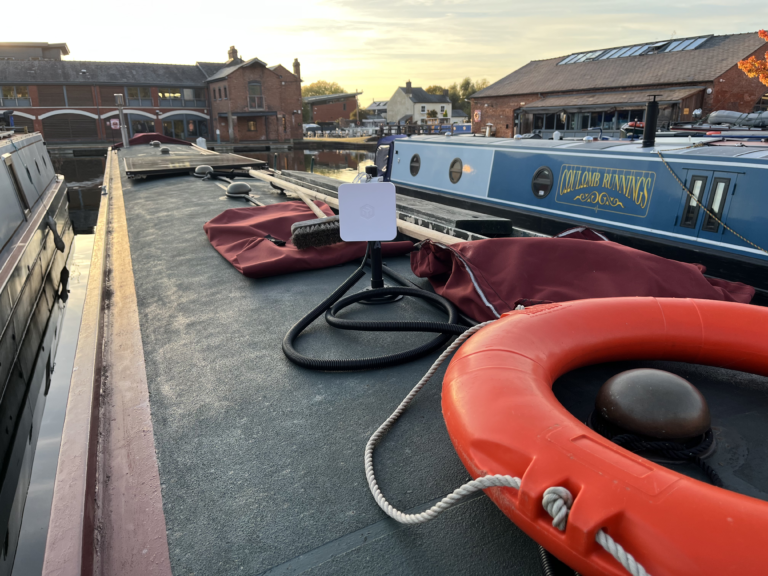
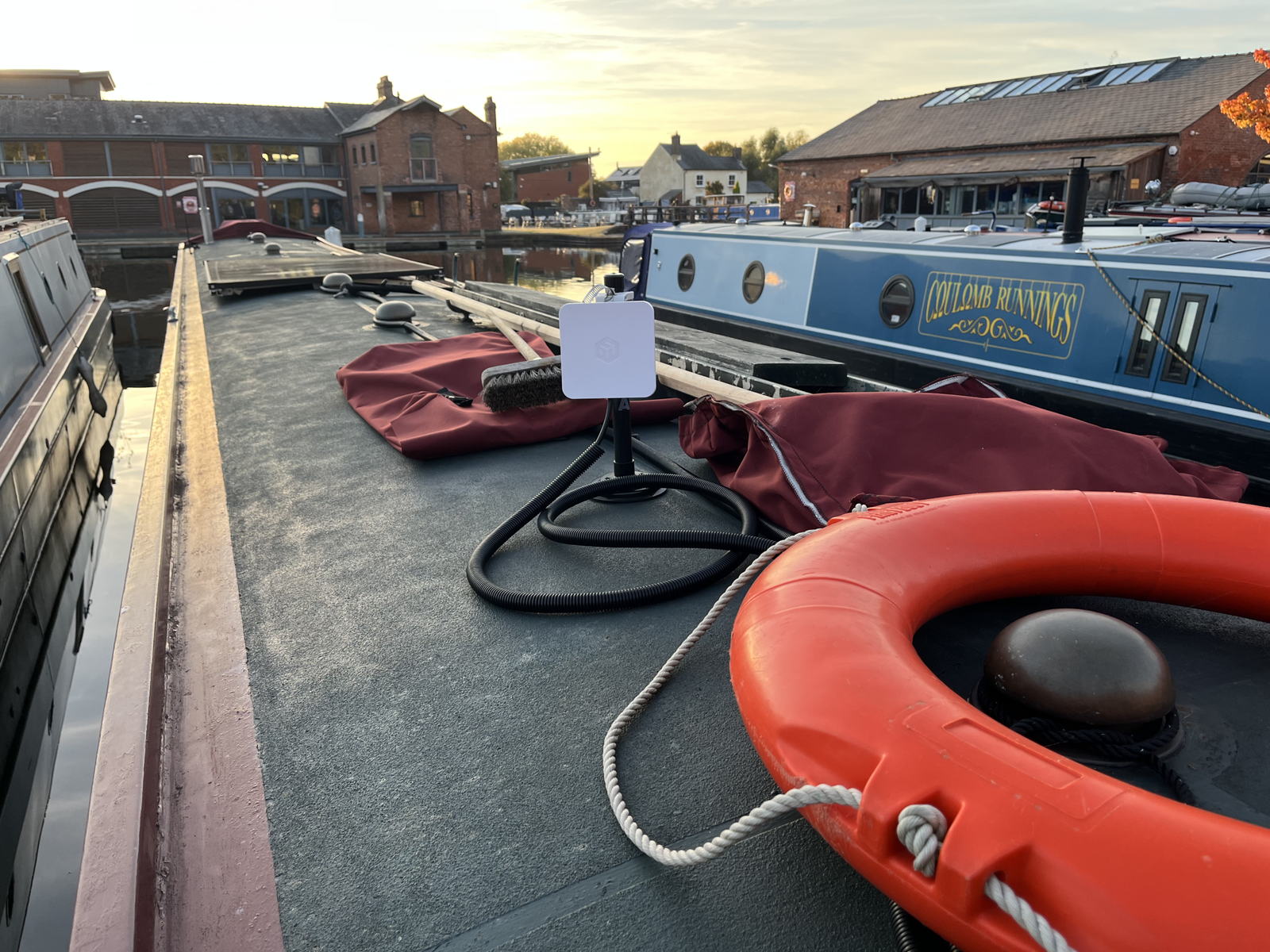
The SXTsq needed to be mounted outside Rasmunda, preferably somewhere with a clear view towards the marina’s Wi-Fi equipment.
But there was one problem.
Rasmunda is a narrowboat, and anything sticking up above the roof has to contend with low bridges, overhanging trees and the occasional moment when the person steering discovers that the available clearance isn’t quite what they’d hoped.
I certainly didn’t want to drill holes in the roof just to mount a Wi-Fi receiver.
The solution was a KUMA MAGPOLE, a 300mm pole with a heavy-duty magnetic base.
At £24.99, it seemed a reasonable investment.
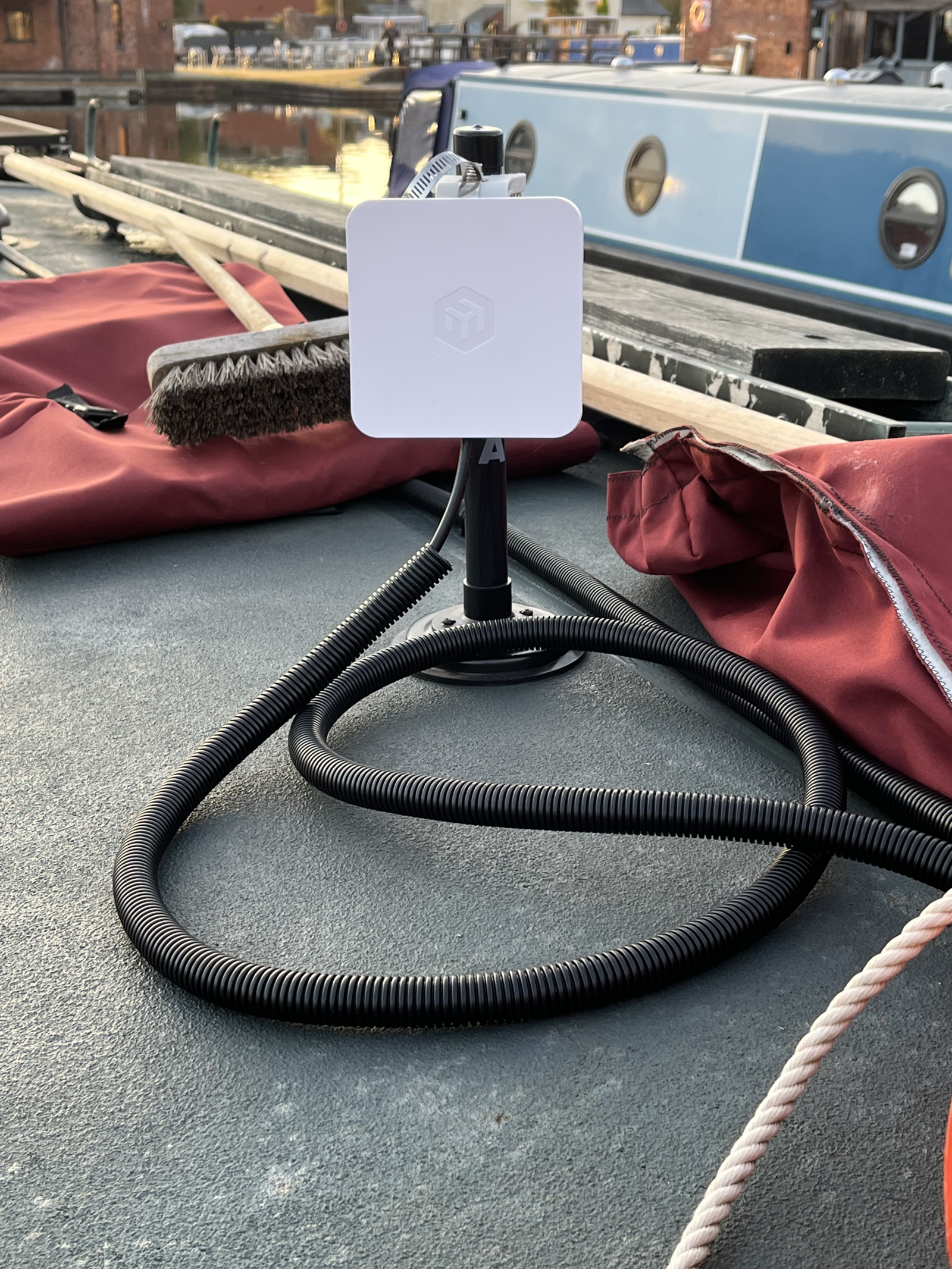
The magnet holds the pole securely to Rasmunda’s steel roof, but the whole assembly can be laid down when approaching a low bridge.
And if I ever misjudge the clearance, there’s at least a chance the magnetic mount will give way rather than something more expensive.
That’s the theory, anyway. I have no intention of deliberately testing it!
With the MikroTik receiver attached to the pole, we now had a way of positioning it outside the steel cabin without making permanent alterations to the boat.
Better still, I could adjust its position and direction to find the strongest marina Wi-Fi signal.
One problem solved.
Now I just needed to get the cable inside.
Another Cable to Run
Over the years, I’ve spent a fair amount of time running cables around boats.
You might think I’d have become rather good at it by now.
Perhaps I have.
That doesn’t necessarily make the job any more enjoyable.
For this installation, I used outdoor-rated shielded Cat6 Ethernet cable, routed through protective conduit and into the boat.
The cable had two jobs.
First, it would carry the internet connection from the outdoor receiver to the indoor equipment.
Second, it would supply power to the SXTsq using something called Power over Ethernet, or PoE.
That meant we didn’t need a separate power cable running to the outdoor unit.
One cable instead of two.
On a narrowboat, I’ll take that as a victory.
The cable also needed to be routed neatly. I didn’t want an otherwise tidy installation spoiled by wires hanging around the cabin or trailing across the roof.
Eventually, everything was in place, and it was time to tackle the part I suspected might prove the most interesting.
Getting it all to work.
Now for the Configuration
MikroTik equipment has a reputation for being extremely capable.
It also has a reputation for offering rather more settings than the average home router.
Both reputations, I discovered, are well deserved.
The outdoor SXTsq needed to connect to the marina’s Wi-Fi network, while the indoor hAP needed to create a separate network for our own devices.
We called that network Rasmunda2.
Our original EE mobile connection remained available under the familiar name Rasmunda.
At least that would make it easy to tell which connection we were using.
The difficulty wasn’t that the equipment couldn’t do what I wanted.
Quite the opposite.
It could do an enormous number of things, many of which I had absolutely no intention of using.
Finding the correct settings amongst all those possibilities took a little patience.
There were occasions when I thought everything was configured correctly, only to discover that something wasn’t behaving quite as expected.
A setting here, another adjustment there, followed by a test to see whether I’d improved matters or made them worse.
Fortunately, I rather enjoy solving these sorts of problems.
Although I suspect Ann might occasionally prefer that I found a hobby involving fewer electronic devices.
A Little Adjustment Made a Big Difference
With the equipment connected and working, attention turned to the strength of the signal being received from the marina.
The SXTsq is a directional receiver, which means that where it points makes a difference.
It isn’t simply a case of mounting it somewhere outside and hoping for the best.
A little adjustment to its alignment made a noticeable improvement.
Eventually, we were seeing a received signal level of around −65 dBm, considerably better than the weaker readings we’d encountered during the initial setup.
For anyone unfamiliar with those figures, the important thing is that a reading closer to zero generally indicates a stronger received signal.
But signal strength isn’t the whole story.
A strong signal is useful only if the connection is stable and the equipment can make proper use of it.
And that meant testing it where we actually needed it.
Inside Rasmunda.
Back to the Armchair
With the outdoor receiver doing its job, the hAP was now providing Wi-Fi inside the boat.
Our phones and computers could connect to Rasmunda2 without having to rely on a weak signal finding its way through the steel cabin.
Better still, the existing EE connection was still there if we needed it.
That was exactly what I’d hoped to achieve.
Of course, there was still one question.
Was all this equipment, cable routing, configuration and fiddling about actually worth the effort?
After all, the objective wasn’t to collect more electronic equipment.
It was to sit comfortably inside Rasmunda, use the internet without interruptions and perhaps watch something on television without wondering whether the connection was about to disappear.
And preferably without Ann having to listen to me discussing Wi-Fi signal levels over dinner.
There was only one sensible way to find out.
We needed to put the new installation through its paces.
Coming Next: Did It Actually Work?
In Part 3, I’ll share the speed tests, explain how the new arrangement performs in everyday use and compare the results with our original setup.
I’ll also answer the question that matters most.
Was installing the MikroTik system worth the trouble?
Let’s just say that one particular speed test, taken while sitting in my armchair beside the Reflex stove, produced a rather pleasant surprise.